
Connect your MT5 account
Four steps, about five minutes. You need a Vantage MT5 account and its investor password: a read-only password that lets us see your results but never place a trade.
- Vantage MT5 account
- Demo or live, as the season says
- Account number and server
- From the email Vantage sends you
- Investor password
- You create it in step 3
-
Open a Vantage MT5 account
Sign up at Vantage and open a MetaTrader 5 account. Every season shows which type it needs:
- MT5 Demo Trading
- a demo account: free, with virtual money
- MT5 Live Trading
- a live account with your own funds
When you open it, choose leverage 1:500 and a balance of exactly $100,000: the account is checked at the start. Vantage demo accounts work for 30 days, so open a new one shortly before the season starts.
Open an account at Vantage -
Find the account number and server
Vantage emails both as soon as the account is open, together with its trading password. You also find them in the Vantage client portal under Accounts, and in the title bar of MetaTrader 5. In the email they look like this:
- Login
- 12345678 your account number
- Server
- VantageMarkets-Demo enter it exactly as written
Keep the trading password to yourself. You need it once, in the next step, and never on BTL.
-
Create an investor password
The investor password is a second, read-only password for the same account. Log in to the account in MetaTrader 5 with the trading password, then:
- Open Tools Options.
- Go to the Server tab and click Change.
- Choose Change investor (read-only) password.
- Enter the current trading password, then the new investor password twice, and click OK.
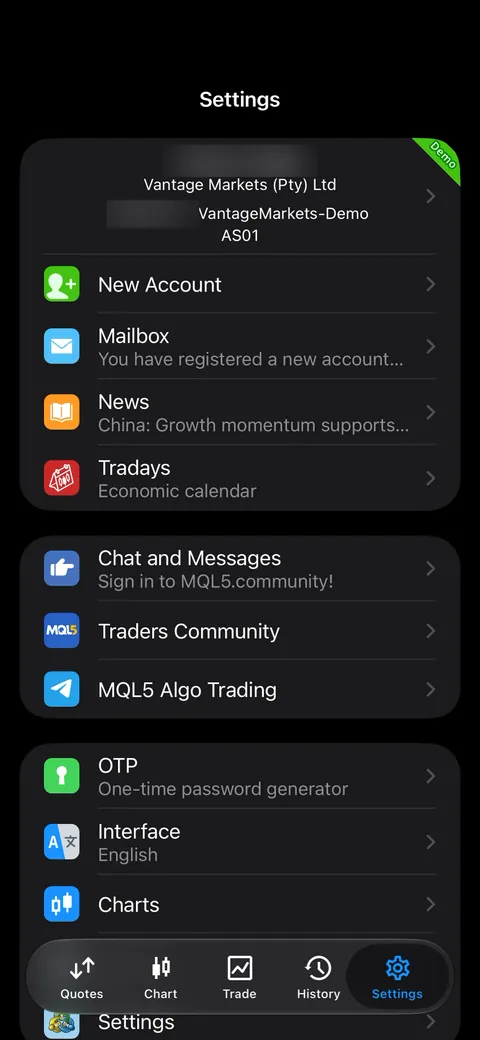
- Open Settings in the bottom right corner.
- Tap your account at the top: the card with your name and account number.
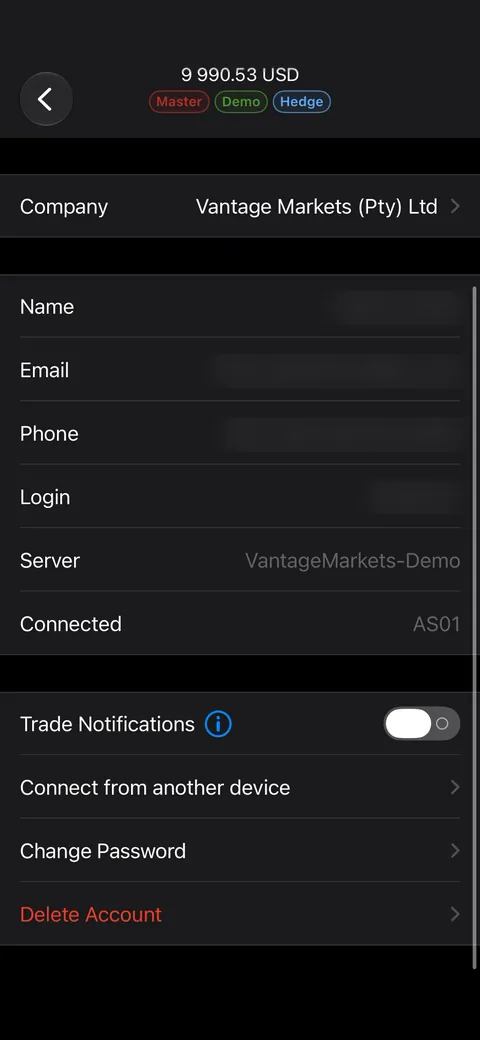
- In Accounts, tap your account again.
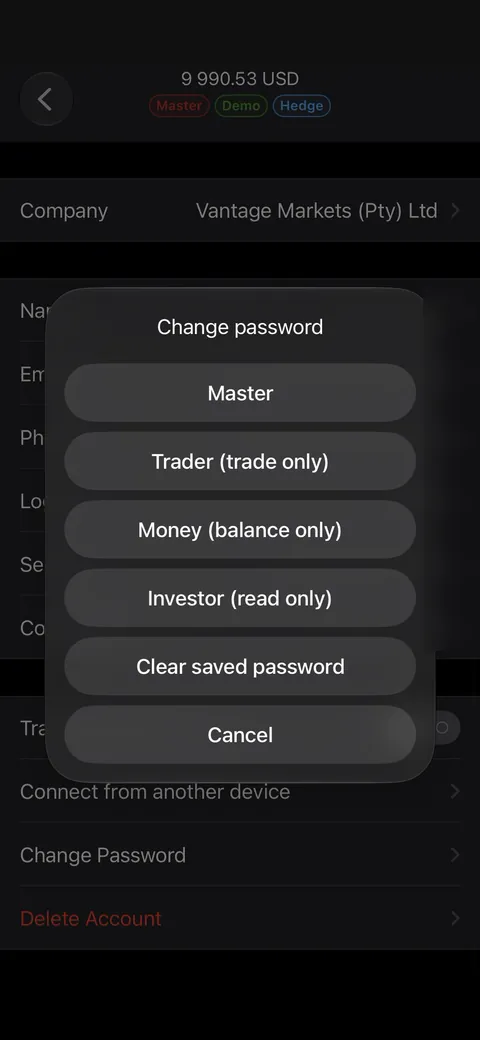
- Scroll down and tap Change Password.
- Choose Investor (read only).
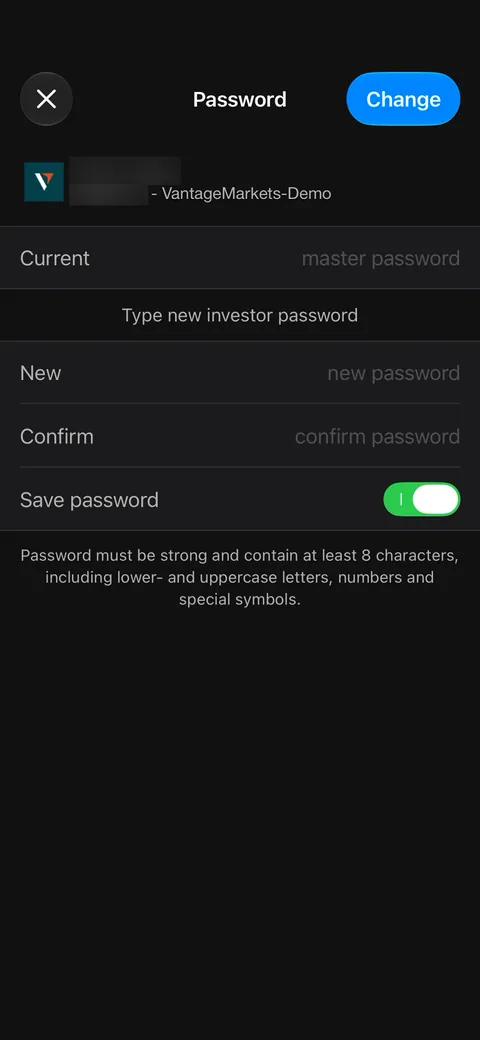
- Enter the trading password in Current and the new investor password in New and Confirm.
- Tap Change in the top right corner.
- Tap ≡ in the top left corner and open Manage accounts.
- Tap ⋮ in the top right corner and choose Change password.
- At the top, switch Change master password to Change investor password.
- Enter the current trading password, then the new investor password twice.
MetaTrader 5 accepts the new password only with lowercase and uppercase letters, a number and a symbol such as # or !. Write it down: you enter it on BTL in the next step.
-
Connect it on BTL
- Open your profile and tap the MT5 badge under your nickname: Connect MT5 account.
- Type the server exactly as in the email from Vantage.
- Enter the account number.
- Enter the investor password, not the trading one.
- Tick the consent box and tap Connect account.
- We check the account within about five minutes. When it says Ready to compete, register for a season. If something is wrong, we email you the reason.
Create BTL AccountAlready have a BTL account? Log in

 Blaze
If something goes wrong
Your profile shows what happened. Here is what each message means.
- This is the master (trading) password
- You entered the password you trade with. We deleted it straight away. Create an investor password (step 3) and enter that one.
- Wrong investor password
- MT5 did not accept the password you entered. Set a new investor password (step 3) and enter it. If the message also names your account number and server, check them against the Vantage email. A demo account also stops working after 30 days: then open a new one.
- This competition is for demo accounts (or live accounts)
- The account type does not match the season. Disconnect the account in your profile and connect one of the type the season asks for.
- No access since…
- The investor password was changed, or the demo account expired. Enter the current investor password in your profile.
- Still checking after 15 minutes
- Write to support@blazetradingleague.com with your BTL ID and we will look into it.